

Biome-Interactive for Seamless ESLint and Prettier Migration
A Simple Interactive CLI to Install Biome and Migrate from ESLint and Prettier

Hi 👋, I'm Dung Huynh Duc A passionate engineer from Singapore
🔭 I’m currently working in AirCarbon
👨💻 All of my projects are available at https://productsway.com
📝 I regularly write articles on https://productsway.com
📫 How to reach me dung@productsway.com
📹 I often publish my video every Sunday on IT Man Channel
Motivation
Managing multiple side projects and open-source initiatives can be quite a task, especially when they rely on different package managers like Yarn, pnpm, or Bun. Consistently migrating these projects from ESLint and Prettier to Biome, though straightforward, often becomes time-consuming. This led me to explore a more efficient solution.
Introducing biome-interactive
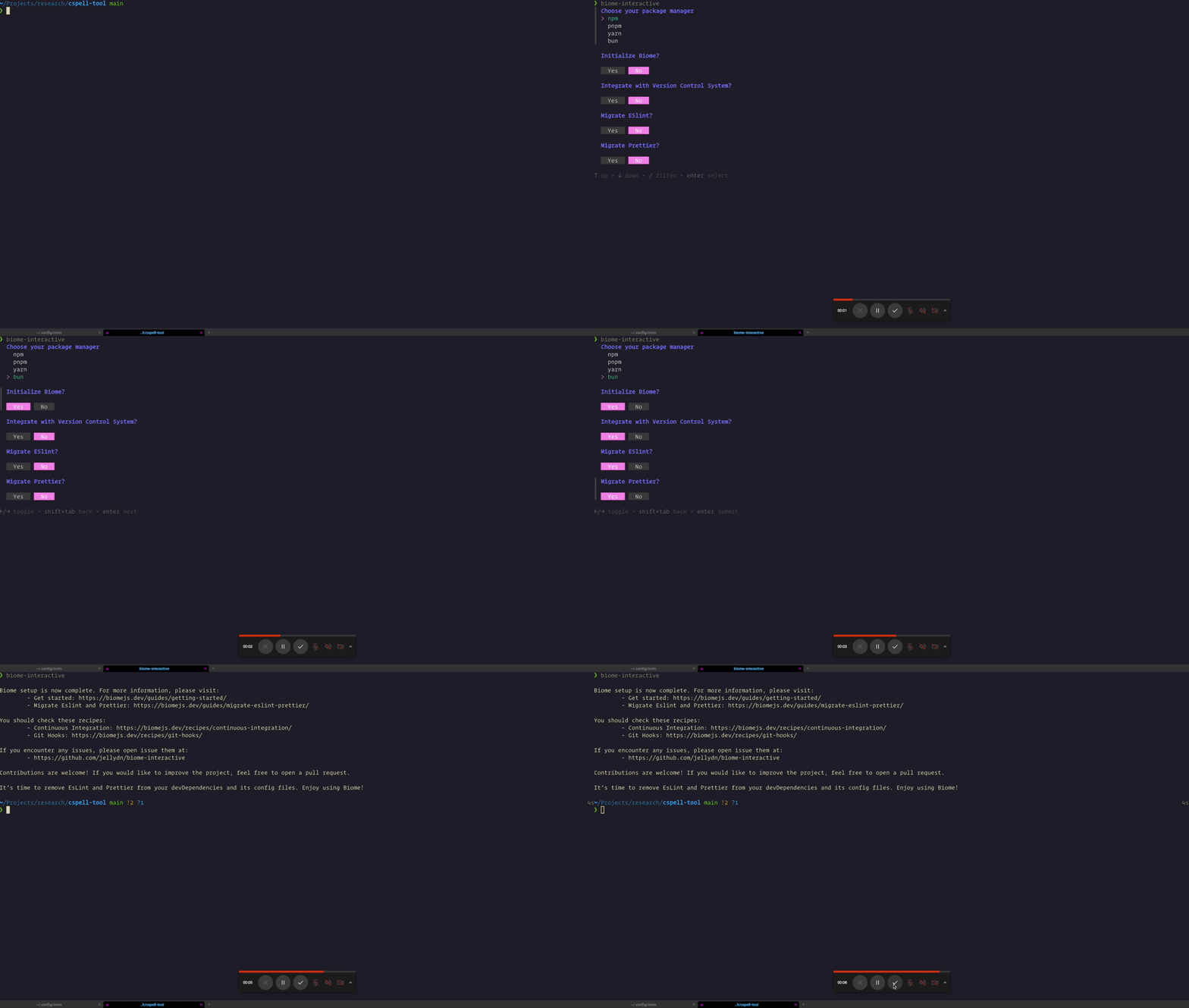
Biome-Interactive is a command-line interface (CLI) developed to simplify the migration process to Biome. Built using charmbracelet/huh and Golang, this tool provides a seamless and straightforward way to both install Biome and migrate settings from ESLint and Prettier with just a single command.
Why Biome?
Biome offers several advantages:
Speed: Biome is significantly faster, reducing the time spent in continuous integration (CI) and during development.
Compatibility: With a high compatibility rate with Prettier, Biome ensures a smooth transition without extensive configuration.
Efficiency: Reduces the overhead on your development machine, making it easier and faster to run builds and tests.
How Biome-Interactive Works
Biome-interactive is built with the user in mind. It requires minimal setup and guides you through the process with interactive prompts.
Installation:
curl -sf http://goblin.run/github.com/jellydn/biome-interactive | shUsage: Once installed, simply run
biome-interactivein your terminal. The tool will guide you through the prompt to initialize Biome and migrate your existing ESLint and Prettier settings.biome-interactiveDemo
Conclusion
Biome-interactive is a simple tool to make developers' lives easier, saving time and eliminating manual migrations. Give it a try, and let me know if you have any thoughts or comments.
Cheer and Happy Coding!


