Power-Up #9: Build a Personal AI Coding Cloud on Your Mac
Your Mac. Your Claude subscription. Your personal AI coding cloud.
In my previous article, Power-Up #8: Three Months with Amp Orb, I shared my experience moving from CLI-based coding to cloud agents.
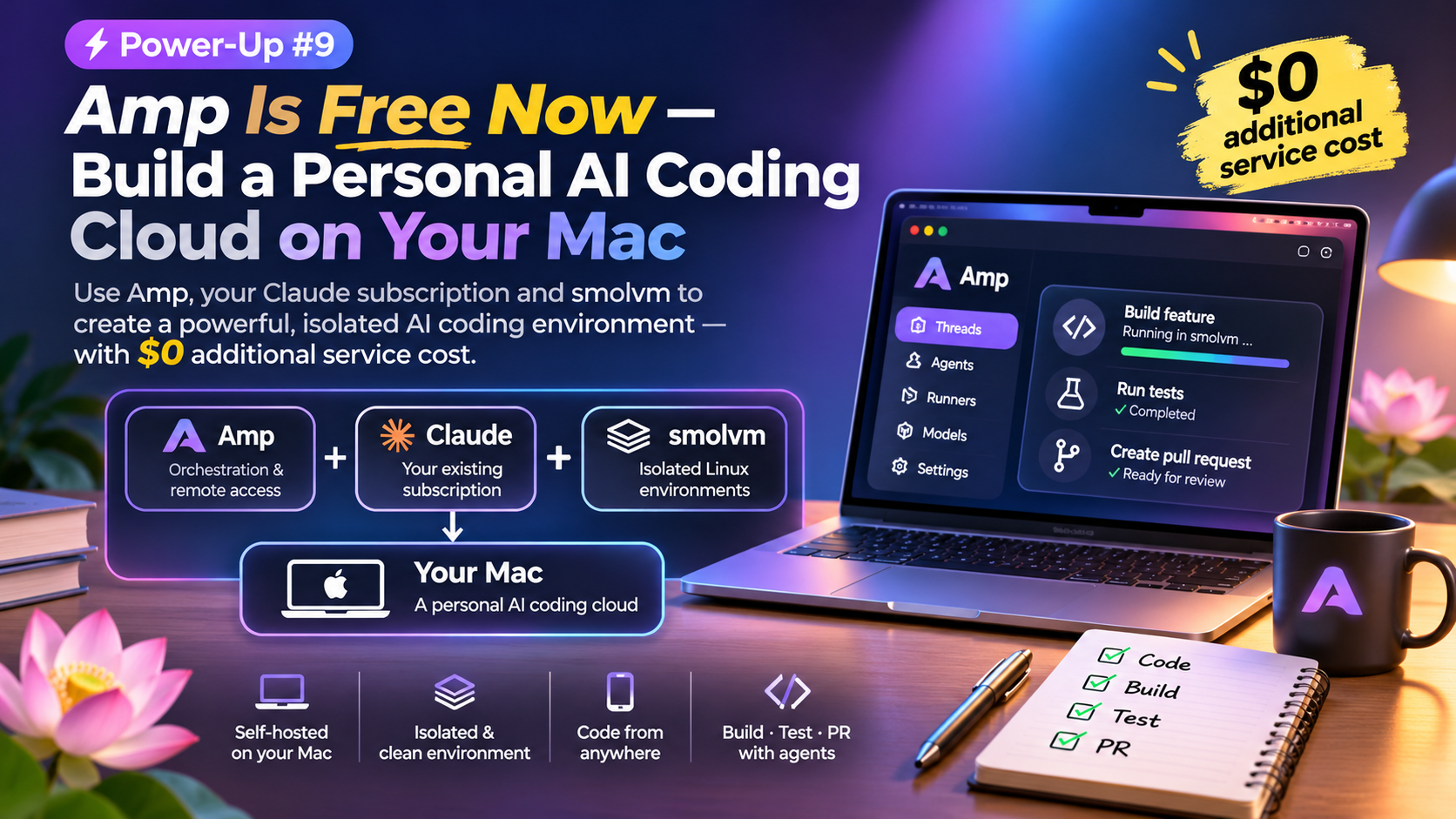
With Amp, Claude Model Routing and smolvm, we can build a personal AI coding environment using hardware and subscriptions we already have.
1. The idea
Instead of paying for another cloud coding agent, we combine three components:
- Amp: Agent orchestration, thread management and remote access.
- Claude: AI inference through an existing subscription.
- smolvm: Lightweight, isolated Linux environments running on macOS.
The goal is to separate orchestration, inference and execution while keeping additional costs close to zero.
2. Install smolvm
smolvm provides lightweight Linux microVMs on your Mac.
brew install smol-machines/tap/smolvm
Unlike running coding agents directly on your host machine, a microVM provides an additional isolation boundary for executing code, installing dependencies and running tests.
3. Install Amp on your Mac
Install Amp directly on macOS, not inside the virtual machine.
curl -fsSL https://ampcode.com/install.sh | bash
Sign in to your Amp account:
amp login
Your Mac becomes the host for managing your coding agents.
4. Bring your own Claude subscription
This is where things get interesting.
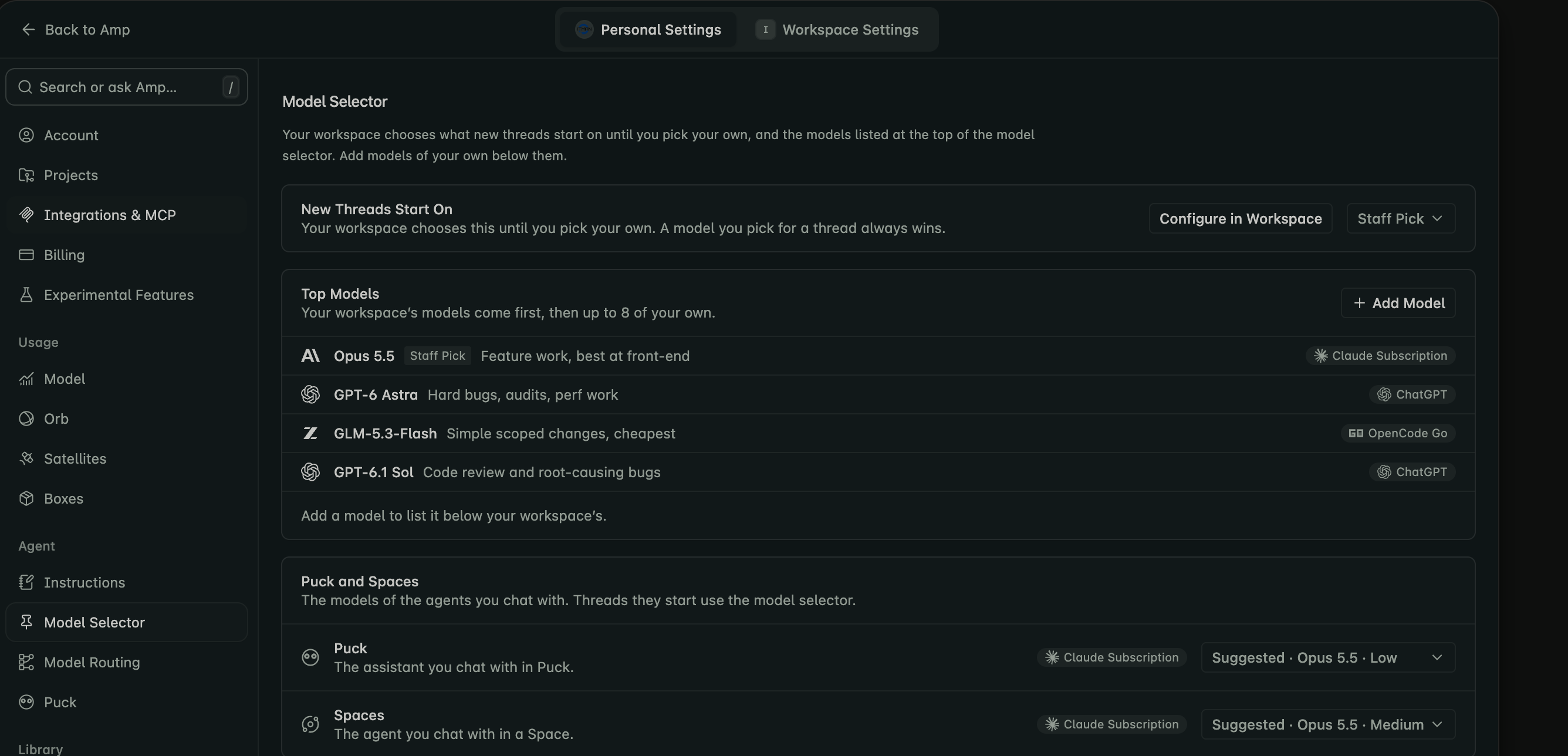
Go to Amp Settings and configure Model Routing:
- Open Model Routing.
- Add your Claude subscription.
- Authenticate your account.
- Select the connected provider for inference.
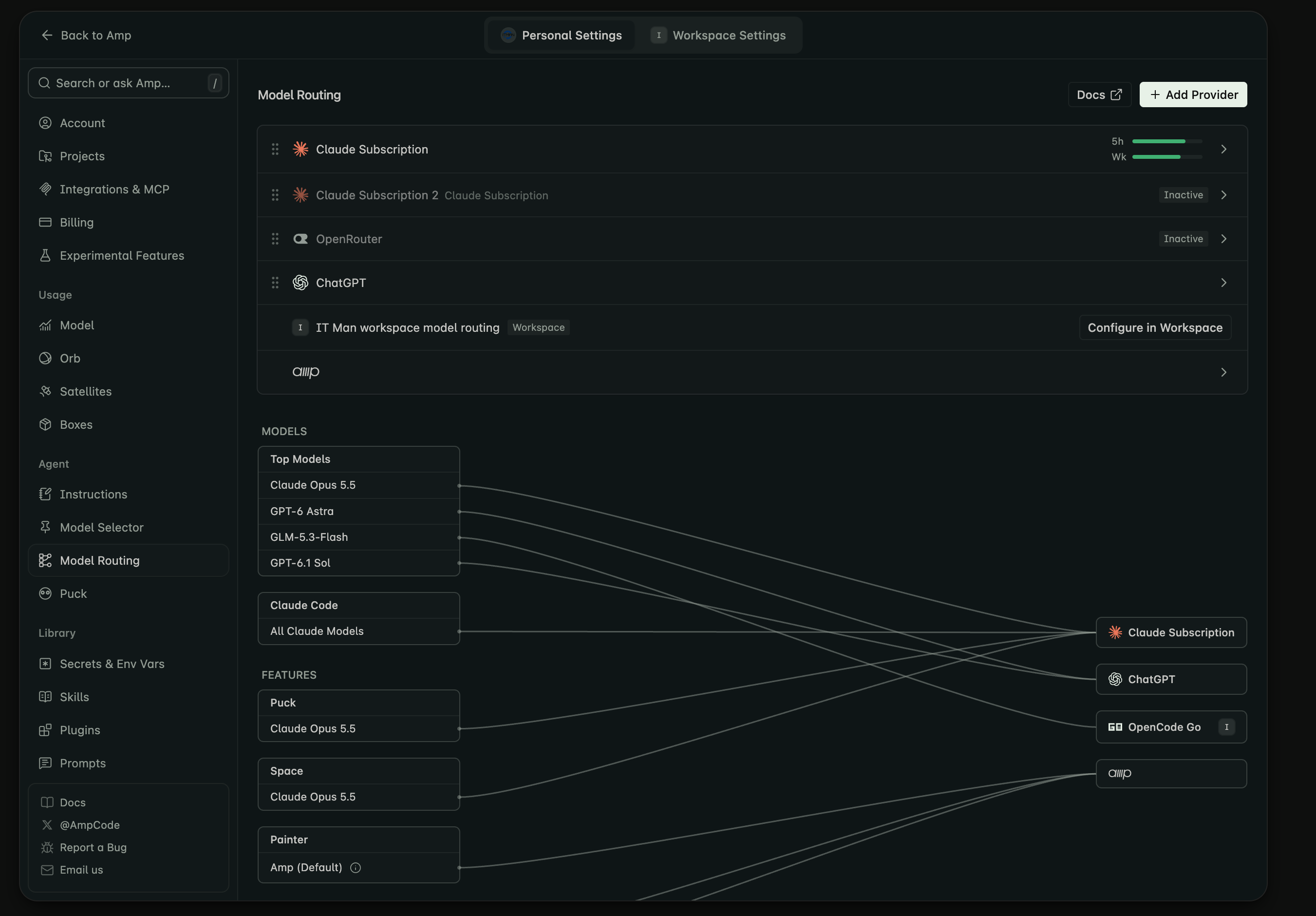
Instead of purchasing additional inference credits, you can leverage your existing Claude subscription, subject to its usage limits. Here is my Model Selector for the reference.
5. Run your own Amp Runner
Once Amp is installed and authenticated on your Mac, you can start a self-hosted runner.
cd ~/projects

amp --no-tui \
  --runner-id itman-mac \
  --discover-dirs
This allows you to access your local development workspaces remotely through Amp.
However, running agents directly on macOS is not always ideal. Sometimes, you want a clean, isolated environment for each coding task.
That's where self-hosted Amp Orbs come in.
6. Run your own Amp Orb Provider
I previously explored this setup in #TIL 45 — Host Amp orbs on a Mac with smolvm.
Amp's self-hosted orb provider has a simple architecture. You run a provider process on your Mac, and Amp sends lifecycle events through an outbound HTTPS connection.
Create a provider token
amp orb provider create itman-mac
Alternatively, create one from Settings → Orbs on ampcode.com.
Use the official ARM64 orb image
For Apple Silicon Macs, use Amp's official ARM64 image:
us-central1-docker.pkg.dev/amp-prod-0/amp-orb/amp-orb-arm64:latest
This image already includes the Amp CLI and the tools required for Terminal, Desktop and Portals.
Configure the dispatch script
The dispatch script translates Amp's lifecycle events into smolvm operations.
| Event | smolvm operation |
|---|---|
| Spawn | Create, start or resume a VM |
| Pause | Save RAM, disk and execution state |
| Delete | Remove the VM and its disk |
The core lifecycle operations are:
# Spawn an existing orb
smolvm machine resume --name "$ORB_ID" \
  || smolvm machine start --name "$ORB_ID"

# Pause
smolvm machine pause --name "$ORB_ID"

# Delete
smolvm machine delete --name "$ORB_ID" --force
For newly created orbs, the dispatch script must create the VM using the official image and execute amp orb bootstrap inside it as the image user, with ORB_TOKEN set.
Start the provider
amp orb provider "$HOME/.config/amp/orb-dispatch.sh"
The provider stays on macOS. Amp manages the orb lifecycle, while smolvm handles the underlying virtual machines.
No public IP address or inbound port forwarding is required.
7. Keep your Mac available
Your Mac needs to remain awake, and both the runner and orb provider processes need to stay running.
For my 32 GB Apple Silicon Mac, I would start with:
- One or two concurrent orbs.
- 4 GB RAM per orb.
- Persistent VM storage.
- Automatic pause and resume.
- Automatic process startup using macOS launchd.
This gives me two execution options: existing local workspaces through Amp Runner, or isolated, on-demand environments through Amp Orbs.
Combined with Claude Model Routing, I can build my own personal AI coding cloud without paying for additional hosted infrastructure.
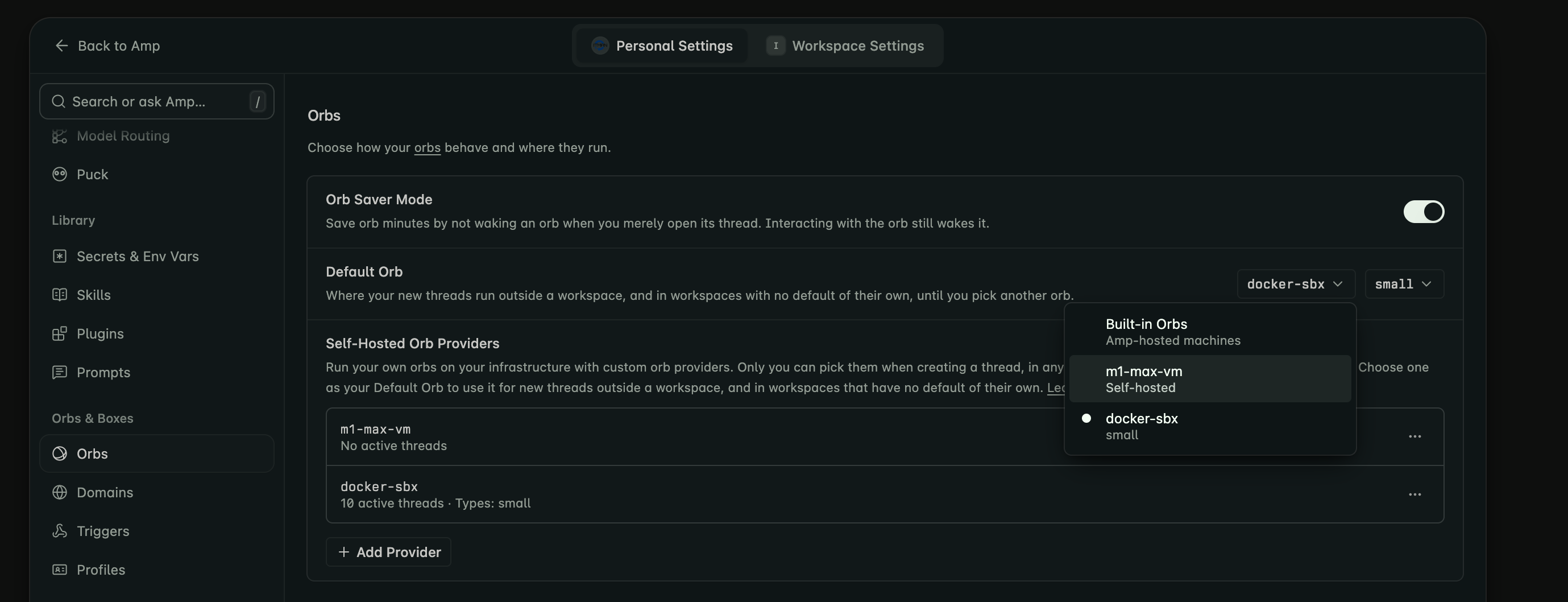
Make sure you change your Orbs setting to your self-hosted: e.g m1-mac-vm.
You get the convenience of a cloud coding agent while maintaining control over your execution infrastructure.
8. What does it cost?
| Component | Additional cost |
|---|---|
| Amp free account | $0 |
| Self-hosted runner | $0 |
| smolvm | $0 |
| Existing Claude subscription | $0 |
| Existing Mac | $0 |
| Target additional service cost | $0/month |
Of course, this does not mean unlimited free AI inference. Claude subscription limits, electricity and optional paid Amp features still apply.
However, if you already own a Mac and subscribe to Claude, you potentially have everything you need.
Final thoughts
Cloud coding is more about accessibility than where the computation happens.
Your Mac can become your personal coding cloud. Amp can provide the orchestration layer, Claude can provide the intelligence, and smolvm can provide the isolated execution environment.
The remaining piece I am exploring is the integration between Amp runners and smolvm to make isolated execution seamless.
Bring your own compute. Bring your own model. Build your own AI coding cloud.
Resources
#LearnInPublic #BuildInPublic #ITMan
About the author
Hi 👋, I'm Dung Huynh Duc A passionate engineer from Singapore
🔭 I’m currently working in AirCarbon
👨💻 All of my projects are available at https://productsway.com
📝 I regularly write articles on https://productsway.com
📫 How to reach me dung@productsway.com
📹 I often publish my video every Sunday on IT Man Channel
Comments
Join the discussionNo comments yet. Be the first to comment.